BEST SELLER
Advanced Excel VBA Bundle Course Rating

Advanced Excel VBA: Automate, Code, and Build Real-World Skills

★★★★★4.95100+ learners trained
Taught by Industry Expert  | Hands-On Learnin

This Advanced Excel VBA Bundle gives you 5 expert-led courses covering VBA automation, error handling, email automation, data entry forms, and MS Office integration - all in one structured, self-paced program with certificates included.

Bundle Includes:

VBA Collections & Error Handling, Excel Events Automation, Microsoft Office VBA Advanced, Email Automation Using VBA, Automated Data Entry Form Using VBA, and more.

Useful For:

Analysts, Investment Bankers, Associates, Managers, Accountants, Executives, Data Science Enthusiasts, and more.

What's included with bundle enrollment:
  • 13+ Hours
  • Certification
  • 1-Year Access
  • Excel Templates
Learners from finance, consulting, technology, and Fortune 500 teams
Student testimonial avatar
★★★★★

“I recently completed the “Introduction to VBA” course, and I found it to be an incredibly valuable learning experience. The course covered essential topics such as macro recording, declaring variables, debugging errors, and using FOR/WHILE/LOOP functions.”

Sola Samuel Olabokunde (Credit Risk Specialist)
Student testimonial avatar
★★★★★

“The course was well designed thought out and highly detailed. The instructor was thorough, and the materials were well supported with helpful models as well as real life examples! Great course and great value!”

Joe
Program Overview

VBA Foundations First. Automation Mastery Next. Career-Ready Always.

The bundle begins with VBA arrays, collections, error handling, and debugging fundamentals - giving you a solid base before advancing to automation.

VBA FUNDAMENTALS
AUTOMATION & MACROS
CERTIFICATION
Bundle Summary

Everything included in one career-ready Excel VBA automation bundle.

This bundle brings together five advanced VBA courses - covering collections, error handling, Excel events, MS Office integration, email automation, and automated data entry forms - skills typically purchased separately.

The bundle is designed with a clear sequence so you always know what to study first, building from VBA fundamentals through to advanced automation workflows.

At a glance Complete bundle access
5 Courses included
13+ hrs Hours of Video Content
5 Certificates
1 year Unlimited Access
Today’s bundle price ₹6,999
₹13,999 Save ₹7,000

Immediate access after successful payment · 1-Year Unlimited Access · Certificate included

Curriculum

The Advanced Excel VBA learning board - five courses, one clear path.

The curriculum is organised across five courses, each covering a distinct VBA skill area - with every course title, module count, and hours visible so you know exactly what you're getting.

5 phases 13+ hours 67+ lessons Automation workflows included
01 FOUNDATION Arrays + Error Handling Bundle Course
VBA Collections and Error Handling CourseMaster VBA arrays, collections, dictionary objects, error handling, and advanced debugging techniques.
3 hrs · 20 lessons
02 AUTOMATION Events + Macros Bundle Course
Excel Events Automation Using VBA CourseAutomate Excel tasks using workbook, worksheet, and application events with user forms and macros.
3 hrs · 22 lessons
03 INTEGRATION MS Office + VBA Bundle Course
Microsoft Office VBA Advanced CourseIntegrate Excel with Word, PowerPoint, and Access; optimise code and handle external data sources.
2 hrs · 18 lessons
04 EMAIL AUTOMATION Outlook + Scheduling Bundle Course
Email Automation Using VBA CourseAutomate personalised emails, attachments, scheduling, and Outlook rules using VBA code.
2 hrs · 16 lessons
05 DATA ENTRY Forms + Validation Bundle Course
Automated Data Entry Form Using VBA CourseBuild interactive automated data entry forms with dynamic controls, search functions, and error handling.
2 hrs · 18 lessons
Foundation → Automation → Integration → Email Automation → Data Entry - each course builds practical VBA skill before layering in the next advanced technique.
Sample Videos

Preview the learning experience before you enroll.

VBA Arrays, Collections, and Error Handling Techniques

Understand the complete learning path: foundation-first modeling, valuation, and AI workflow review.

Automate Tasks Using Excel Events Advanced VBA Functions - Introduction 

Preview how AI can help review formulas, audit models, summarize outputs, and improve analyst productivity.

Automated Data Entry Form Using VBA Course

See how a real-company model can be built, reviewed, and improved using Excel plus AI-assisted analysis.

Choosing the Right Integration Approach - Part 1

Watch how revenue, margins, free cash flow, WACC, terminal value, and valuation ranges connect inside a practical model.

Attaching Files to Emails Using VBA

See how to select peers, organize trading multiples, and interpret valuation outputs like an analyst.

Included With Bundle Enrollment

Resources that make the bundle practical, not just informational.

Every course in the bundle comes with downloadable Excel templates, pre-recorded video modules, assessments, and a certificate of completion - giving you tools you can use at work, not just watch.

Downloadable Excel Templates

Access ready-to-use Excel templates and study materials included with each course in the bundle.

Included

13+ Hours of Video Tutorials

Self-paced, pre-recorded video modules across all five courses - accessible anytime from any device.

Included

Course Assessments

Each course includes tests and assessments to verify your understanding and qualify for certification.

Included

5 Certificates of Completion

Earn one industry-recognised certificate per course upon completing all videos and passing every assessment.

Included

1-Year Unlimited Access

Access all course videos, templates, and tests for a full year so you can learn at your own pace and revisit content anytime.

Included

Case Studies and Exercises

Real-world automation projects and exercises included across courses to reinforce practical VBA application.

Included
Recommended Learning Path

A clear sequence so the bundle feels structured, not random.

Follow this path from VBA foundations through to advanced automation workflows - each course builds directly on the skills covered in the one before it.

1
Step 1

VBA Collections and Error Handling

Start with VBA arrays, collections, dictionary objects, and error handling to build a solid technical foundation.

2
Step 2

Excel Events Automation Using VBA

Apply event-driven VBA to automate spreadsheet functions, macros, and user form interactions.

3
Step 3

Microsoft Office VBA Advanced

Extend your VBA skills by integrating Excel with Word, PowerPoint, and Access for cross-application automation.

4
Step 4

Email Automation Using VBA

Automate personalised emails, file attachments, and Outlook scheduling rules directly from Excel using VBA.

5
Step 5

Automated Data Entry Form Using VBA

Build fully automated, validated data entry forms in Excel with dynamic controls, search functions, and error handling.

Bundle Outcomes

Build a complete Excel VBA automation skill stack for analyst and professional roles.

This bundle is designed to support learners who want to automate Excel workflows, handle data efficiently, and qualify for roles across finance, data, and corporate operations.

Learner goals represented in this bundle
Analyst25%
Investment Banker35%
Associates20%
Manager / Director / Executive20%
Deploying and using automated data entry forms
Error handling practices and techniques
Conditional formatting using VBA
Working with arrays and their types
Macro automation tasks
Advanced email-sending options using VBA
Data validation and VBA coding
Integrating Excel with MS Office applications
Fit Check

Who should buy this bundle?

This bundle is the right choice when you want a complete, sequenced VBA automation path - not just one isolated skill - to build professional-grade Excel expertise.

This bundle is built for:

Beginner to intermediate Excel users
School and college students
Working professionals across industries
Entrepreneurs and data science

This may not be for:

×Those with no Excel knowledge at all
×Those looking for basic Excel (non-VBA) training
×Learners who only need one specific VBA topic
×Those unwilling to complete assessments enthusiasts seeking automation skills for certification
Bundle offer active

Ready to unlock the complete Advanced Excel VBA automation path?

Get the full bundle for ₹6,999 save ₹7,000, today only.

Enroll in the Bundle ->
Offer Ends in11h : 47m : 50s
Bundle Value Stack

One bundle. Clear value. No confusing course-by-course purchase decision.

See exactly what you would pay buying each VBA course separately versus what you pay today for complete bundle access - the math makes the decision straightforward.

If bought separately ₹26,000+ total value
Combined into one practical Excel VBA automation bundle
VBA Collections and Error Handling Course ₹5,200
Financial Excel Events Automation Using VBA CourseCourse ₹5,200
Trading Comps Course ₹14,000
Microsoft Office VBA Advanced Course ₹5,200
Email Automation Using VBA Course ₹5,200
Automated Data Entry Form Using VBA Course ₹5,200
Course Director

Directed by a Excel VBA training built by WallStreetMojo

Dheeraj Vaidya, CFA, FRM

Co-Founder, WallStreetMojo · View LinkedIn profile →

Ex-J.P. MorganEx-CLSA Equity AnalystCFAFRMIIT and IIM Alumnus20+ Years of Experience100,000+ Students Trained

Dheeraj Vaidya brings over 20 years of finance and training experience, with a background as an analyst at JPMorgan and CLSA. A CFA Charterholder and FRM, he is also an alumnus of IIT and IIM. This Advanced Excel VBA Bundle reflects his practical, industry-grounded approach - designed to take learners from VBA fundamentals to real-world automation expertise used across finance and corporate roles.

Learner Feedback

What learners say about WallStreetMojo training

Consolidated learner reviews and feedback for the Advanced Excel VBA Bundle Course - from Google Reviews and LinkedIn.

★★★★★

“Exactly what I needed to level up my Excel skills. The advanced content is well-explained and easy to apply in real-world scenarios.”

Student testimonial photo
Emily RiveraProject Coordinator
★★★★★

“The course dives deep into advanced VBA topics without being overwhelming. It helped me optimize multiple workflows in my department.”

Student testimonial photo
Kwame AsareOperations Analyst
★★★★★

“This advanced bundle gave me the tools to fully automate our monthly reporting processes. Clear structure and strong examples throughout.”

Student testimonial photo
Elena FischerFinance Associate
Video Testimonials

Hear directly from learners

Add up to three short student videos here. If a course does not have video testimonials yet, simply turn this section off or remove the video testimonial blocks.

Learner Story

From confusion to confidence in finance

Imran MezzeVerified Learner
Learner Story

From CFA concepts to real-world financial modeling and valuation skills.

George StanleyCFA Level II Candidate
Learner Story

Making complex concepts simple to understand

PhilipVerified Learner
Certification

Earn certificates as you complete the bundle learning path.

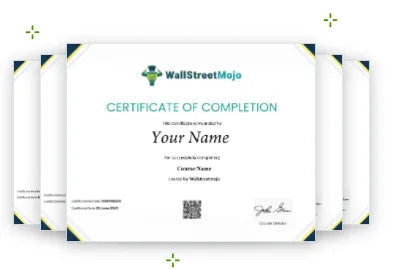
You earn one certificate per course upon watching all videos and passing every assessment - five certificates in total across the bundle. Share each VBA automation and Excel certificate on LinkedIn and your resume to demonstrate practical, verified skills to prospective employers.

One industry-recognised certificate issued per course on full completion
Certificates validate practical VBA skills including automation, error handling, and MS Office integration
Shareable on LinkedIn, professional profiles, and resumes to attract employers
WallStreetMojo Certificate of Completion preview
Bundle vs Separate Courses

One structured VBA bundle is easier to follow than scattered course purchases.

Compare what you get with the bundle against buying each Advanced Excel VBA course individually - to make the right investment decision for your career.

Buying Separately

More expensive and less structured

  • Pay ₹26,000 across five separate purchases
  • No guided sequence between VBA courses
  • Risk missing foundational skills before advanced topics
  • No combined access management across courses
Bundle Advantage

One path, one price, one VBA career stack

  • Full access to all 5 VBA courses for ₹8,400
  • Sequenced learning path from foundations to advanced automation
  • All templates, assessments, and certificates in one enrollment
  • 1-year unlimited access across the complete bundle
FAQ

Bundle FAQs

Answers covering what's included in the Advanced Excel VBA Bundle, prerequisites, access duration, certification, and whether this bundle is right for your current skill level.

What is included in the Advanced Excel VBA Bundle Course?

The advanced Excel VBA course comes with an extensive curriculum that includes all the important advanced VBA functions. It includes VBA error handling, Excel events, automated data entry, and email automation. Through this course, you get to develop a practical understanding of VBA code examples and learn how to apply the techniques taught at your workplace.

Do I need prior knowledge of Excel or VBA to enroll in this course?

Yes, there are some prior requirements to master Excel VBA. You need basic knowledge of Excel and computer operations so that understanding the course content is not a challenge. If you do not have the necessary knowledge, you may consider completing our Basic VBA course first before enrolling in the Advanced Excel VBA Bundle Course.

What will I learn in the "Automated Data Entry Form" course?

In this course, you will learn conditional formatting, filters, VBA coding, data entry forms and Excel automation, among other key chapters. With this program, you will learn about fully automated data entry forms in Excel, which will allow you can save a significant amount of time at work. As part of the course, you will learn how to use checkboxes and dropdowns, add values, and display popups in spreadsheets. You will also find out how the data will automatically be collected in a separate document, which acts as a database when a user submits work.

How does the "Email Automation with VBA" course help me automate tasks in Excel?

Yes, a user can automate emails on specific Excel events and conditions. One can do this task with the help of Excel triggers and VBA macros. But for that, you need to become better at VBA and macros, and especially master the automation process. Sending emails on specific conditions helps users save time and simultaneously receive accurate and timely notifications.

What kind of VBA functions will I learn in the "Excel Events Automation" course?

Excel spreadsheet automation for events is a concept that is also referred to as a group of functions, formatting styles, filters and formulas that make the spreadsheet calculate values and automatically fill in the data in cells with respect to other values. With VBA, the data automatically gets updated with time, and the user doesn't have to manually fill in every cell or information with values, time or date. This saves your time and improves your overall productivity.

How will the "Mastering MS Office with VBA" course benefit me in automating other Office applications?

Excel VBA offers multiple benefits when handling MS Office applications. Advanced email-sending options, data and error handling strategies, code optimization, emerging technologies, and custom formatting, along with calculation and Excel and PowerPoint integration, are some of the important concepts taught in this advanced Excel VBA course. You can work in one application and integrate the same task in another one with VBA.

What practical skills will I gain from the "VBA Arrays, Collections, and Error Handling Techniques" course?

From the “VBA Arrays, Collections, and Error Handling Techniques” course, you’ll gain the ability to use more advanced techniques, which, in turn, will improve your efficiency and productivity. The training includes learning to work with different types of arrays, such as multidimensional and dynamic arrays. Error statements, error handling techniques, working with collections and advanced debugging strategies are also part of this course.

How will completing the Advanced Excel VBA Bundle Course benefit my career?

Well, taking our advanced Excel VBA bundle course has a lot to provide from a learner’s perspective. Let us look at some of the benefits. You will level up your knowledge and skills concerning MS Excel data analysis and representation. Unlike many other advanced VBA classes, we will offer you an online certificate that you can link with your professional profiles to attract employers and work opportunities. You will learn how automation and the use of advanced VBA functions can improve your productivity by saving time and effort.

Still could not find your answer?

Send us your question and our team will help you understand whether this bundle is right for your goals. Contact Us →

Contact Us →

Start the complete Excel VBA automation bundle today.

Get structured access to VBA error handling, Excel events automation, MS Office integration, email automation, and data entry form development - all in one Advanced Excel VBA Bundle built for serious learners.

Advanced Excel VBA Bundle Course
MAY FLASH OFFER
₹6,99950% OFF
₹13,999Save ₹7,000 today
Enroll in the Bundle →
Offer Ends in11h : 47m : 50s
Secure Checkout + Immediate Access