BEST SELLER
Email Automation Using VBA Course

Email Automation Using VBA Course: Master VBA Macros and Excel-Outlook Integration

★★★★★4.72698+ learners trained
Taught by Industry Expert | Hands-On Learning

Learn to automate, schedule, and personalize emails using VBA macros and Excel-Outlook integration. Build real automation workflows, master VBA coding, and boost workplace productivity with advanced Excel VBA skills.

Topics Covered:

Email automation, VBA coding, Excel-Outlook integration, scheduled emails, error handling, email personalization, advanced formatting, Outlook rules and filters, and more.

Relevant Career Paths:

Analyst, Associate, Manager, Director, Executive, and more.

What's included with enrollment:
  • 2+ Hours
  • Excel templates
  • Certification
  • 1 Year Access
Learners from finance, consulting, technology, and Fortune 500 teams
Student testimonial avatar
★★★★★

“An excellent course for anyone looking to master VBA email automation. The lessons are practical, easy to follow, and packed with real-world examples. I was able to automate repetitive Outlook reporting tasks immediately after completing the course. Highly recommended for finance and operations professionals.”

Michael Anderson (Senior Financial Analyst)
Student testimonial avatar
★★★★★

“This course exceeded my expectations. The VBA email automation techniques are explained in a very structured and practical way. I especially liked the real-life automation examples that helped me streamline daily reporting and client communication tasks in Outlook. A valuable course for professionals who work heavily with Excel and emails.”

Sophia Williams (Operations Manager)
Program Overview

VBA Foundations First. Email Automation Next. Productivity Always.

This course begins by grounding you in the fundamentals of email automation - from setting up Excel and Outlook for integration to writing your first VBA codes to send emails. You then build on those foundations to personalise email content, attach files, apply advanced formatting techniques, and create a user-friendly automation interface - exactly as you would need to do in a real corporate environment.

VBA AUTOMATION
EXCEL & OUTLOOK
CERTIFICATION
Included With Enrollment

Everything you need to learn, practice, and certify your VBA email automation skills.

These four resources are designed to take you from watching to doing - giving you the video instruction, hands-on templates, certification proof, and flexible access you need to complete the course at your own pace.

2+ Hours of Self-Paced Video Tutorials

Guided, step-by-step video instruction covering all 14 modules of email automation using VBA.

Included

Downloadable Excel Templates

Practice files and VBA training material to apply each technique hands-on as you learn.

Included

Certificate of Completion

Earn a professional certificate upon completing the course. Showcase your VBA and email automation skills with a verifiable credential.

Included

One Year Unlimited Access

365-day access to all course content, allowing you to revisit modules, clarify doubts, and reinforce skills anytime.

Included
Curriculum

A Step-by-Step Learning Path from VBA Basics to Advanced Email Automation

The curriculum progresses logically from introductory VBA and Excel-Outlook setup through personalisation, scheduling, and real-world automation applications - ensuring every concept builds on the last.

4 phases 2+ hours 14 modules Real-world applications included
01 FOUNDATIONS Introduction, Setup & Basic VBA Coding
Introduction to Email AutomationIntroduces the concept and scope of automating email workflows using VBA.
5 mins · 1 lesson
Setting Up Excel and Outlook for AutomationCovers the configuration of Excel and Microsoft Outlook required before writing any VBA automation code.
7 mins · 1 lesson
Writing Basic VBA Codes to Send EmailsTeaches how to write foundational VBA scripts in the Excel developer tab to send emails programmatically.
13 mins · 1 lesson
02 EMAIL CONTENT & FORMATTING Personalisation, File Attachments & Advanced Formatting
Personalizing Email Content with VBADemonstrates how to customise and personalise email body content dynamically using VBA techniques.
13 mins · 1 lesson
Attaching Files to Emails Using VBAExplains how to programmatically attach files to outgoing emails through VBA code..
9 mins · 1 lesson
Advanced Email Formatting TechniquesCovers advanced techniques for formatting the structure, layout, and appearance of automated emails.
17 mins · 1 lesson
03 AUTOMATION INTERFACE & SCHEDULING User Interface, Scheduled Emails & Advanced Customisation
Error Handling in AutomationEquips learners with techniques to identify, manage, and resolve errors in automated workflows, ensuring reliable and uninterrupted VBA automation.
11 mins · 1 lesson
Building a User-Friendly Email Automation InterfaceGuides learners through creating an intuitive interface within Excel to control and trigger email automation.
16 mins · 1 lesson
Automating Scheduled EmailsTeaches how to schedule VBA scripts so that emails are sent automatically at specified times or intervals.
8 mins · 1 lesson
Automated Email Customization TechniquesExpands on personalisation by introducing advanced customisation options for automated email workflows.
5 mins · 1 lesson
04 OUTLOOK RULES, BEST PRACTICES & REAL-WORLD APPLICATION Outlook Automation, Best Practices & Applied Case Studies
Creating Outlook Rules and Filters for AutomationShows how to set up Outlook rules and filters that work in conjunction with VBA automation workflows.
10 mins · 1 lesson
Best Practices for Email AutomationOutlines the professional standards and guidelines for building reliable, efficient email automation systems.
8 mins · 1 lesson
Real World Applications of Email AutomationApplies all course learning to real corporate scenarios and case studies drawn from industry practice.
10 mins · 1 lesson
Project Wrap-Up and Next StepsFurther real-world application exercises reinforcing automation skills in practical professional contexts.
8 mins · 1 lessons
Phase 1 builds VBA and setup foundations → Phase 2 applies those to email content and formatting → Phase 3 advances to interfaces and scheduling → Phase 4 completes the journey with Outlook rules, best practices, and real-world case studies, ensuring every learner is corporate-ready.
Sample Videos

Preview the learning experience before you enroll.

Get a feel for how this course blends step-by-step VBA instruction with practical Excel-Outlook automation exercises - before you commit to enrolling.

Setting Up Excel and Outlook for Automation

Advanced Email formatting techniques

Course Director

Directed by a seasoned equity analyst and VBA training expert with 20+ years of experience

Dheeraj Vaidya, CFA, FRM

Co-Founder, WallStreetMojo · View LinkedIn profile →

EX-JPMORGANEX-CLSA AnalystCFAFRMIIT and IIM Alumnus20+YEARS OF EXPERIENCE100K+ STUDENTS TRAINED

Dheeraj Vaidya, CFA and FRM, brings over 20 years of training experience to this Email Automation Using VBA course. A former equity analyst at both JPMorgan and CLSA, Dheeraj has deep practical knowledge of the tools, workflows, and Excel-based skills that corporate professionals rely on every day. He has supervised this course to give analysts, associates, and executives a fast, structured path to mastering email automation using VBA - eliminating the guesswork of unguided self-study and making learners immediately more productive in their roles.

Career Outcomes

From Manual Email Drafting to Confident VBA Automation Expert

As email volumes in corporate roles continue to grow, professionals who can automate workflows using VBA hold a clear and measurable productivity advantage over their peers.

Career paths our students typically pursue
Analyst26%
Associate24%
Manager18%
Director14%
Executive18%
Scheduling automated emails using VBA macros
Writing basic and advanced VBA code to send emails
Personalising and customising email content programmatically
Attaching files to emails automatically via VBA
Creating Outlook rules and filters for email automation
Applying real-world email automation workflows in corporate settings
Fit Check

Is this course right for you?

Check the criteria below to see whether this VBA email automation course matches your current level, goals, and professional context.

This course is built for:

Those who do not use or plan to
Beginners to intermediate VBA users ready to level up
Entrepreneurs and data science enthusiasts
Professionals seeking to save time and enhance productivity at work

This course is NOT for:

×Those who have no basic Excel knowledge or computer skills
×Those looking for a general Excel beginner course with no VBA focus
×Those who do not use or plan to use Microsoft Outlook for email
LIMITED-TIME FLASH SALE OFFER

Ready to automate your emails and reclaim hours every week?

Get the complete Email Automation Using VBA course for ₹1,999 save ₹2,000, today only.

Enroll Now →
Offer Ends in11h : 47m : 50s
Why Choose This course?

The Structured, Expert-Led Path to VBA Email Automation Mastery

Most professionals who want to learn email automation using VBA either waste hours piecing together free YouTube tutorials with no clear sequence, or pay for disjointed courses that never connect the dots. This course gives you a foundation-first structure, expert instruction, downloadable templates, and a recognised certificate - all in one place.

STRUCTURED PATHEXPERT INSTRUCTIONPRACTICAL SKILLS

Foundation-First Curriculum

The course begins where beginners need it most - with VBA basics and Excel-Outlook setup - before progressing to advanced scheduling, Outlook rules, and real-world automation. No gaps, no guesswork

Real Automation Skills, Not Theory

Every module is built around practical outcomes: writing VBA code, attaching files, building interfaces, and scheduling emails. You finish with skills you can use on day one back at your desk.

Directed by a Former JPMorgan Analyst

Dheeraj Vaidya, CFA, FRM has supervised the development of this course, bringing over 20 years of training experience to ensure the content is practical, structured, and aligned with real-world business applications of Email Automation Using VBA.

Best-Value Entry Point for VBA Training

At ₹1,999 with 50% off, one year of unlimited access, downloadable templates, and a certificate of completion included, this course offers more structured value than piecing together free resources alone.

The simple promise

When you finish this course, you won't just know VBA - you'll think in automation. You'll look at your manual email workflows differently, build smarter processes with Excel and Outlook, and confidently apply email automation using VBA wherever your career takes you.

Smarter Buy

Why pay more - in time or money - to learn VBA email automation the unstructured way?

Most learners consider two paths before enrolling in a structured course: free self-study through YouTube and online resources, or buying individual courses separately. Neither gives you the guided sequence, downloadable templates, VBA training material, and certification that a structured course does - and both end up costing more in time or money when it comes to learning email automation using VBA.

Alternative A
YouTube + Free Online ResourcesFree but unstructured - no guided sequence, no Excel templates, no VBA training material, no certificate, and no clear learning outcome
FreeFree self-study path for VBA email automation
Alternative B
Individual Course PurchasesHigher combined cost with no guaranteed sequence, missing templates  and VBA training resources, and no single guided learning path
₹14,000Buying separately across platforms
WallStreetMojo recommended choice
Email Automation Using VBA CourseStructured foundation-first path covering VBA coding, Excel-Outlook automation, scheduling, Outlook rules, and real-world application - with templates and certification in one place
₹1,999complete course
GUIDED SEQUENCE INCLUDED
INDUSTRY EXPERT-LED INSTRUCTION
BEST VALUE vs BUYING SPERATELY
Why it wins: Unlike free YouTube tutorials, this course gives you a clear progression from VBA basics through to advanced scheduling and Outlook automation - with downloadable Excel templates and a certificate of completion. Unlike buying courses separately, you get everything in one structured learning path at a single low price, with no sequencing confusion and no missing resources.
₹2,000saved

Simple takeaway: A structured Email Automation Using VBA course with expert instruction, downloadable templates, and a recognised certificate gives you a better learning outcome - and better value - than stitching together free videos or paying separately for multiple unlinked courses.

Student Feedback

What learners say about WallStreetMojo training

★★★★★

“A very well-designed VBA automation course with clear explanations and hands-on examples. The Outlook email automation modules saved me hours of manual work every week. The instructor explains advanced concepts in a simple and practical manner. Definitely worth taking for anyone working with Excel-based reporting.”

Student testimonial photo of Priya
Daniel FosterBusiness Intelligence Consultant
★★★★★

“Fantastic course with highly practical VBA email automation techniques. The step-by-step approach made it easy to understand even advanced Outlook automation concepts. I’ve already implemented several workflows from the course to automate team notifications and reporting. Clear, professional, and extremely useful.”

Student testimonial photo of Rahul
Emma RichardsonProject Coordinator
★★★★★

“One of the best VBA automation courses I’ve taken online. The content is concise, practical, and directly applicable to real business scenarios. The email automation lessons helped me reduce repetitive reporting tasks significantly. Great learning experience for anyone using Excel and Outlook together.”

Student testimonial photo of Megha
James CarterData Analytics Lead
Video Testimonials

Hear directly from learners

Add up to three short student videos here. If a course does not have video testimonials yet, simply turn this section off or remove the video testimonial blocks.

Video Testimonial

From exploring finance careers to gaining a strong understanding of the industry and its day-to-day roles.

Belana BarkleyBusiness Administration Major (Finance Concentration)
Video Testimonial

From CFA concepts to real-world financial modeling and valuation skills.

George StanleyCFA Level II Candidate
Video Testimonial

Making complex concepts simple to understand.

PhilipVerified Learner
Certification

Earn a WallStreetMojo certificate after course completion.

Add your Email Automation Using VBA certificate to your LinkedIn profile, resume, or professional portfolio to demonstrate your VBA coding, Excel-Outlook integration, and email automation skills to recruiters and employers. The only way to receive certification is to complete the course in full.

Certificate on course completion
Designed for students, professionals, analysts, and career switchers
Demonstrates VBA automation and advanced Excel skills
Supports professional credibility and career advancement goals
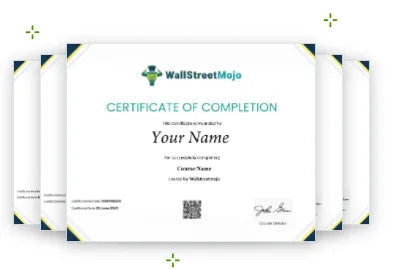
WallStreetMojo Certificate of Completion preview
FAQ

Frequently Asked Questions

Answers to the most common questions about this email automation using VBA course - covering prerequisites, tools required, access, scheduling, and certification.

How can I automate sending emails using Excel VBA?

Through our course, you will learn to send email using VBA Excel by opening the developer tab in MS Excel. We suggest you take this course and learn all the methods, tips and tricks with advanced functions of Excel VBA to become an ace in it. This sending email using VBA will save you time and effort and completely enhance your productivity and efficiency at work. Don’t let this chance go away; enroll in this course now.

Is prior VBA experience required for this advanced VBA course?

Not particularly; as we said learning to send email using VBA is for everyone. So even if you don’t have any prior knowledge or experience of Excel or VBA, this email automation course is still a good pick for you. We have industry experts as our course instructors, so don’t worry about getting lost or confused; our mentors will guide you through the entire course, ensuring you learn new skills sincerely and thoughtfully.

How long does it take to complete an advanced VBA course?

This course has an actual duration of 2+ hours, but you get a 365-day unlimited access period to come back and relearn or clear any doubts that you have. This means that you have plenty of time to complete the course. This feature provides you with flexible learning options and no mandatory requirement to finish the course within a set time limit.

Do I need Microsoft Outlook to automate emails with VBA?

Yes, when we speak of automating sending emails, it is enabled by integrating VBA with Microsoft Outlook. This integration allows a user to perform and add many more features while sending emails. This email automation course has a separate chapter on Microsoft Outlook integration, Like we said, we have got you covered. All we demand is your will to learn and time to complete this course.

Are there any prerequisites for an advanced Excel VBA training course?

No, there are no specific requirements or prerequisites for this course. You can be anyone from a beginner to a professional; this email automation course welcomes everyone from diverse backgrounds. Yes, since this is an advanced-level course, we expect you to have a basic understanding of computer operations and basic Excel skills. Apart from this, rest assured of the best quality content for you.

Can I trigger email automation in VBA based on specific Excel events?

Yes, a user can automate emails on specific Excel events and conditions. This can be done with the help of Excel triggers and VBA macros. But for that, you need to become better at VBA and macros, especially to master the automation process. Sending emails on specific conditions helps users save time, and at the same time, they receive proper, timely notifications.

Will I learn to create an email automation dashboard in Excel?

We recommend you check out the course curriculum shared on our website. Suppose you are really interested in learning the email automation dashboard or any other particular concept of Excel VBA. In that case, we suggest you read the online course outline to make sure you know what you are paying for in this course. WallStreetMojo has always strived to maintain transparency with the audience.

Can I schedule VBA scripts to run at specific times for email automation?

Yes, when we discuss VBA automation, it is still a mystery to many professionals, and we have yet to unravel many functions and features. All of this starts with learning to write basic VBA coding and scripts in the developer tab. Before you jump on to learn something as advanced as scheduling VBA scripts, we suggest you take this course and learn all the topics that are covered.

Does the course cover integrating VBA with external APIs for email automation?

Yes, VBA allows a user to interface with an API. This tells us that VBA is vast and can be used for both simple and complex functions and tasks. If you are aiming to learn how to integrate VBA with Microsoft Outlook and other external APIs, this advanced VBA course online is the solution for you. There is a lot more that this advanced Excel VBA course offers, which you can only experience it by enrolling in it. Hurry, don’t let this chance slip away.

How can I prevent VBA automated emails from going to spam?

Ideally, Gmail puts automated Excel VBA macro-generated emails to spam, and there is no option to change that setting, but with this course, we can guarantee you will learn a series of tips and tricks that you can apply to make your emails stand out from the rest. But this will come with VBA online practice and consistent effort in learning advanced VBA. Hence, we suggest you take this course.

Can I use VBA to create an email distribution list?

Long answer short, yes, it is possible to use VBA to create and send emails to a distribution list. If the user already has a fixed distribution list, they can store it as a simple string in the VBA code and then treat the address string as its data and manipulate it. WallStreetMojo has designed this course keeping all such aspects in mind, so don’t worry we’ve got your back.

Can VBA send emails with conditional formatting applied?

Yes, you will learn to send emails with applied conditional formatting in them. Not just that but you will also learn how to send personalized emails to specific recipients. This advanced VBA training course is made with the core idea of educating beginners to professionals as to how email automation can be scheduled using VBA. Multiple features can be applied and all of that is covered in this course.

Can I automate sending multiple emails using Excel VBA?

Yes, you can. Microsoft Excel has many features, but one of the most important functions is to send automated emails to your team, clients, or customers. This one feature saves you a lot of time and effort in a busy schedule. But for this, you need to understand and be able to write VBA codes and scripts. In this advanced Excel VBA course, we will focus on this topic specifically.

How can advanced VBA improve workflow efficiency?

When you learn advanced VBA, you will become proficient in writing VBA scripts, coding and employing advanced Excel functions that most people are not familiar with. All these functions are designed and exist to make your work swift and easy. By incorporating advanced VBA in your Excel spreadsheets, you will save a lot of time and effort, which will reflect on your productivity.

Does this course cover error handling in VBA scripts?

Yes, when it comes to dealing with VBA scripts, we know that it accounts for error handling techniques, and this advanced Excel VBA course does cover the topic with a separate module dedicated to it, in which multiple error handling and troubleshooting methods are discussed and taught by our course instructors with some personal experience and insights. After this advanced VBA course, you will be able to deal with different types of errors and mistakes.

How customizable is the email automation process in Excel VBA?

VBA is very customizable, especially when it comes to the email automation process. VBA lets a user personalize their emails based on client-specific data and induce dynamic content insertion with the same details, such as account credentials, invoice numbers, names, dates and other values. All this is possible with VBA coding, which this advanced VBA course will teach you in the most efficient way possible.

Can I integrate VBA email automation with other Microsoft Office tools?

Indeed, VBA supports the creation of interactive HTML buttons, which can be used for VBA scripts and Outlook macros. VBA with Excel becomes an advanced level skill. WallStreetMojo has decided to make that skill handy and easy for you to employ at your workplace. There are a lot more features that can be implied using VBA with Excel, but for that, you must learn advanced functions with us in this advanced Excel VBA course.

Does VBA support sending HTML emails automatically?

Yes, it is possible and very commonly done by using VBA codes. When a user integrates VBA email automation with other Microsoft Office tools, they create a more streamlined and structured reporting and sharing of files, spreadsheets and documents. You must learn this skill so that you can work beyond Excel and become the go-to person at your workplace. Check out the advanced VBA training course content today.

How can I add attachments to automated emails in Excel VBA?

Yes, indeed, the feature of automated emails lets you add attachments to your emails, which can be any report, Excel sheet or workbook. It can be done by opening the developer tab in Excel and writing VBA codes. Now, it may sound challenging but trust us, this advanced VBA training course will make you a master in it. Do not waste your time looking for a better curriculum; there isn’t; enroll today.

Is it possible to track email responses using VBA?

Yes, with VBA coding and advanced Excel skills, this is possible. VBA lets an Excel user send emails and, at the same time, receive real-time alerts about the email’s delivery status. This may sound like a difficult task to accomplish, but with our advanced VBA training course on email automation, VBA and Excel skills will come naturally to you. All you need to do is pay attention to the course content and study resources.

What are the best practices for writing efficient VBA code in automation?

Although VBA is a programming language that works internally for Microsoft Office Suite, but still there are a couple of tips and practices that you can follow when writing VBA code for automation, such as using variables, name and clear functions, using macros, keeping minimum object selection, re-use common functions and test code regularly to avoid errors. If you manage to follow these tips, you will learn VBA more effectively.

Does VBA email automation work with shared Outlook mailboxes?

Yes, and like we said before, once you take this course and master VBA coding and advanced Excel skills, you will be astonished to see how much work and smooth functioning is possible with VBA and Excel. Yes, at first glance, you may think it to be a bit complex but it is a lifelong skill that will help you in your professional growth and career development.

What is the benefit of learning email automation using VBA?

There are several benefits of email automation: You learn error handling in emails, You learn to write basic VBA coding for email automation, You equip skills of customizing emails and you get acquainted with advanced email formatting techniques. You will be able to send multiple emails in one go using advanced Excel VBA. In short, this is your cue to learn and equip the skills of Excel VBA to send email automatically. So, make the most of it.

Does this advanced VBA course offer certification?

Yes, this advanced Excel and VBA course offers you a certificate. You can only get this after you finish the course and clear the test as per standards set by us. There is no other way to claim the certificate. You need to pay attention to the course content and learn skills that will help you not only pass the test but also train you to become the best professional and skilled Excel user.

Still could not find your answer?

Send us your question and our team will help you understand whether this course is right for your goals.

Contact Us →

VBA Foundations First. Email Automation Next. Productivity Always.

Enroll in the Email Automation Using VBA course today and move from manual email drafting to building fully automated, scheduled, and personalised email workflows using Excel and Outlook - guided by a former JPMorgan analyst with 20+ years of training experience.

Email Automation Using VBA Course
MAY FLASH OFFER
₹1,99950% OFF
₹3,999Save ₹2,000 today
Enroll Now →
Offer Ends in11h : 47m : 50s
Secure Checkout + Immediate Access