

★★★★★
“The event-driven VBA concepts were explained exceptionally well. I can now automate workbook actions and reduce manual Excel work significantly.”
Michael Turner (Operations Analyst)
Master Excel automation using advanced VBA functions, events, and macros. Build custom formulas, automate repetitive tasks, and handle workbook and worksheet events with real-world case studies and downloadable templates.
Workbook events, worksheet events, application events, VBA event handling, enabling and disabling events, user forms, input validation, custom functions, macro automation, and more.
Intern, Analyst, Associate, Manager, Executive, and more.
“The event-driven VBA concepts were explained exceptionally well. I can now automate workbook actions and reduce manual Excel work significantly.”
Michael Turner (Operations Analyst)“A highly practical course for anyone working with Excel automation. The lessons on worksheet and application events were especially useful in my reporting workflows.”
Sophia Martinez (Reporting Specialist)Before you leave, claim the Summer Sale offer and continue directly to discounted checkout.
The course begins with workbook and worksheet events, then moves into VBA code for custom functions, user forms, input validation, and macro automation - all with downloadable practice templates.
The curriculum is organised into clearly sequenced modules that build on each other - beginning with foundational Excel events and advancing steadily into custom automation, user forms, and macro programming.
Get a feel for how this course blends VBA coding theory with hands-on Excel practice - before you commit. Each preview lesson reflects the practical, case-study-driven style used throughout the full course.

Co-Founder, WallStreetMojo · View LinkedIn profile →
Dheeraj Vaidya holds both CFA and FRM certifications and brings over 20 years of professional training experience to this course. He designed as an Equity Analyst at leading global institutions including JPMorgan and CLSA. Dheeraj supervised the creation of the Excel Events Automation Using Advanced VBA Functions Course to give working professionals a structured, practitioner-led path to mastering Excel VBA automation - the skill set that makes you the go-to person for data tasks in any organisation.
Excel VBA automation is now a core workplace skill demanded across every industry - and professionals who can build event-driven macros and custom formulas stand out at every career level.
This course is designed for people who already have basic Excel skills and are ready to step up - it is not a beginner's introduction to Excel.
Get the complete course for ₹1,999 — save ₹2,000, today only.
This course goes beyond syntax - it teaches you how Excel events, user forms, macros, and custom VBA functions work together in actual data environments, using downloadable templates and real-world case studies from the start.
The course begins with workbook, worksheet, and application events - building your VBA foundation in the correct sequence before advancing to custom functions and macro automation.
Every concept is applied through code - you write VBA to handle events, validate inputs, design forms, and automate macros, not just watch theory being explained.
Downloadable Excel templates and real-world references are embedded throughout, so you practice in the same environment you will work in professionally.
At ₹1,999 (50% OFF), this course delivers 3+ hours of expert-led VBA content, templates, certification, and one year of access — significant value for a single course investment.
This Excel VBA automation course does not just teach you functions - it transforms how you think about and operate Excel, so you can build automated workflows, validate data accurately, and confidently handle any spreadsheet task your role demands.
Most learners considering this course weigh two alternatives first: free self-study through YouTube and blogs, or buying individual topic-specific courses one at a time. Neither gives you the structured event-first sequence, downloadable VBA templates, real case studies, and completion certificate that this course delivers - and both paths end up costing more in time, confusion, or money.
Simple takeaway: A single structured VBA automation course with downloadable templates, real case studies, a sequenced curriculum, and a recognised certificate delivers more learning per rupee than any free or piecemeal alternative.
Use this section for named, photo-backed testimonials once the final student proof assets are available.
“The advanced VBA functions and event automation techniques were very practical. I have already implemented several concepts in our internal Excel systems.”
“Clear explanations with hands-on examples made complex VBA event handling easy to understand. Great course for improving Excel efficiency.”
“Excellent training for professionals looking to automate advanced Excel tasks. The real-time applications and coding demonstrations were especially helpful.”
Add up to three short student videos here. If a course does not have video testimonials yet, simply turn this section off or remove the video testimonial blocks.
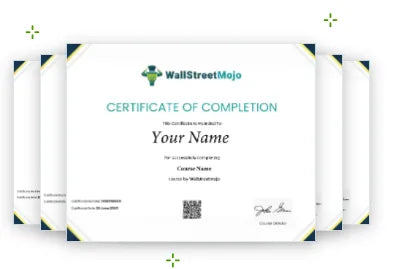
Once you complete the Excel Events Automation Using Advanced VBA Functions Course, you receive an online certificate you can link to your LinkedIn profile, attach to job applications, or present at recruitment drives to demonstrate your Excel VBA automation, macro programming, and custom function skills.
Answers to the most common questions about this Excel VBA automation course - covering prerequisites, curriculum topics, access, certification, and what sets this training apart.
Excel automation is a concept that is also referred to as a group of functions, formatting styles, filters and formulas that make the spreadsheet calculate values and automatically fill in the data in cells with respect to other values. This way, the data automatically gets updated with time, and the user doesn't have to fill in every cell or information with values, time or date manually. This saves time and improves productivity. This Excel automation course with certification will definitely help you improve your career development.
The benefits of taking an Excel automation online course are as follows: You learn about automation functions in MS Excel. The course rewards you with an online certificate to help you regarding your career prospects. Once you become good with automation and using advanced VBA functions, you improve your productivity by saving time and effort. It makes you stand out from the crowd in terms of skills and knowledge.
You can check out the entire course curriculum on our website, along with all the other Excel automation course details. Keeping in mind that the primary audience will be mainly people who already know how to operate MS Excel, we have incorporated many advanced VBA functions and automation filter and formatting techniques of Excel. Hence, it is ideal that you acquire basic Excel knowledge before enrolling in this course.
Well, we cannot comment on all the other courses that are available on the internet or offline today regarding Excel automation skills. Still, when it comes to WallStreetMojo, we can promise top-notch quality content with relevant study material and data that comes with the video tutorial. We have covered all the essential concepts and topics that will help you become industry-ready and will prepare you for all sorts of professional jobs across industries in different business sectors.
Although this course consists of many advanced-level functionalities and features and VBA code usage in MS Excel, we would still suggest you take this course as a beginner. We can safely say that because of the curriculum, this course can help educate individuals from diverse backgrounds, irrespective of the industry in which they have experience.. We can assure you that it is the best Excel automation course with certification available, as it ensures that you develop comprehensive knowledge of all the concepts and techniques covered.
For tech support or any other assistance regarding course queries, you can write an email to us at support@wallstreetmojo.com. We promise to reply promptly with the right answers and solutions to your queries, concerns, or any issues regarding course content. . The support team is responsible for answering your questions and that’s why they have been trained to understand your problems and provide you with effective solutions.
Yes, the course has an equally balanced curriculum with theoretical and practical learnings. You will be offered downloadable Excel templates, which you can utilize to practice the automation functions and get a hands-on learning experience rather than just focusing on theory. The downloadable templates will work even offline and are given to train you with examples so that when you work at your workspace, you know what to do in different scenarios.
With this course you can completely learn Excel automation online. Once you purchase this course, you can access this course from anywhere at any time from all devices, such as mobile phones, laptops, desktop computers or even tablets. This is a completely online video course crafted for you to take advantage of and become a master in Excel automation online.
This Excel automation VBA training is very different from standard training because it offers offline Excel templates to practice and understand the real-world applicability of the different methods and concepts discussed.. The course instructor shares many personal experiences with you, along with examples, case studies and references. Also, upon completion of the course, we reward you with an online certification, which many online courses lack.
The ideal duration of the Excel automation training course in terms of the video tutorial is 3+ hours hours. Still, since it is a self-paced course, you don't have to hurry or keep a deadline in mind while taking the course. This course comes with a one-year-long unlimited access to the course content. Hence, there is no rush for you to complete the course in just three hours or a few weeks. Take your time with each concept.
This is a paid course. So, you will have to pay a fee to purchase the course and start learning. That said, we would want to assure yu that there are no additional costs or fees. Once you make payment, you will have unlimited access to the course materials for a year. . Note that we also provide offers or discounts that allow you to purchase our courses at an attractive price. So, keep an eye out for such offers.
Individuals must have access to Excel and basic knowledge of spreadsheet software to understand all the concepts explained in this course clearly. Also, they must have access to a stable internet connection to ensure an optimal learning experience. If individuals do not meet these requirements, purchasing this course may not be an ideal decision. In case individuals have the Excel software and a secure internet connection but lack the basic knowledge concerning Excel, they can consider taking a free Excel course to understand the basics.
Learning Excel automation can help the following individuals: Working professionals - They are already working on Excel but are looking for advanced techniques and to hone their skills. Beginners - They are people who have just started using and exploring MS Excel and want to become an expert in it for career prospects. The rest are, graduates and students who want to learn Excel automation to add skills to their resume and professional profiles.
Yes, this course, indeed, is an advanced-level Excel automation course. It is a paid course but comes at a discounted price. There are many other advanced-level courses available on our website. If you are interested in a basic level course, you can check out our other free or paid basic level courses before you start with advanced level training classes. Also, we have structured courses in a way that you can always expect quality and streamlined content that is helpful to people from diverse backgrounds.
The Excel automation course is very effective for the following reasons: It is a self-paced course so you can learn at your own pace without being in a hurry to complete the course. The course offers an online certification that you will only receive once you pass the test satisfactorily. It serves as proof of your knowledge concerning Excel Events Automation Using Advanced VBA Functions. All the important concepts and topics are covered through dedicated chapters, which are properly structured into a high-quality curriculum.
The whole point of learning Excel automation is to use the formulas and functions to automate spreadsheets with cell and row formatting so that values and data get automatically calculated and updated in the sheet. This one thing will save plenty of time and effort for you as you won't have to spend hours making reports manually filling data. This way, Excel automation will increase your productivity.
The sure shot way to choose the best Excel automation course as per your needs is to check the details provided by the course, especially the Excel automation course syllabus. Only by knowing what concepts are being covered in the course can you make a better decision for yourself. Of course, the Excel automation course duration, certification, pricing and other factors also play an important role.
The key features of Excel automation using VBA are - You learn to turn Excel events on and off Create customer functions and formulas for your calculations using VBA Apply VBA code to induce automation in sheets for auto-update Learn cell formatting, custom formatting, and filters. Learn advanced features and other reference functions to save time and effort, and improve productivity. It helps you equip yourself with user data form and data validation techniques.
Pursuing an Excel automation career path and making it big in it are two different processes. With Excel automation skills, you start in any industry as an intern or with an entry-level position. It is possible because MS Excel is used by millions of people everyday at work. This automation course will give you a competitive edge over others. With time, you can learn and get promoted to an associate or even a managerial position.
There are different types of Excel automation jobs that an individual can take or pursue with Excel automation skills, such as: Intern - This job can be for an unpaid intern or with a stipend. Usually, all industries pay their interns. Analyst - In many offices and firms, this could be an entry-level position Associate - Here, many individuals work for their managers or team leads. Managers - They are responsible for handling a group of employees working as a team. Executives - Managers report them with insights and data.
The Excel automation skills will reward you with an online certification that will help you in job interviews and at work to get recognized among others, your peers, colleagues and even in the eyes of your seniors. Not to mention, once done with the course, you will have multiple skills and techniques at your disposal and will deal with data and reports like never before. The most important aspect is that you can apply the skills in your current job role as well.
The salary range for Excel automation professionals depends on the type of role, position and designation they are offered, along with the different types of responsibilities and tasks to be performed on a daily basis. For example, individuals appointed as managers are responsible for controlling their team members. Their job role requires them to assign tasks to team members efficiently and track their progress. On average, yearly, managers earn $167,644 as of May 28, 2024 in the US, per salary.com. You can be an intern or an executive. However, the whole journey from the former to the latter may take time.
MS Excel itself is a common software used by millions of people across industries and sectors by employees and business owners to manage files, reports and company data of different departments such as sales, accounts, manufacturing, human resources, finance, and so on. Hence, if you are equipped with Excel automation skills, you can shine in almost every industry. This course will make you industry-ready.
Yes, not only this, but every WallstreetMojo course comes with an online certification. We appreciate your efforts and reward you with the certificate to validate your skills and knowledge and let you link it to your professional profiles on different job platforms and LinkedIn profiles. You can use this certificate to show and highlight your technical skills in front of recruiters and companies online or in job interviews.
The benefits of an Excel automation certification are given below: You get a validated document highlighting your skills and expertise in Excel automation skills. The certificate has your name, course name, the signature of the course director and WallstreetMojo's recognition. It helps you in bagging jobs and internships and boosts your career growth. Once you are done with the Excel automation classes, you will save a lot of time dealing with Excel reports and can teach other colleagues and juniors the same.
One can follow these steps to to obtain the Excel automation certificate: Pay attention to the course content and learnings. Answer all the multiple choice questions at the end of every chapter and obtain the minimum marks to pass those exams. Lastly, pass the final assessment at the end of the course. After the third step, you can download the certificate.
Send us your question and our team will help you understand whether this course is right for your goals.
This is your structured path from basic Excel user to advanced VBA automation specialist - covering events, user forms, input validation, custom functions, and macros with hands-on templates and a WallStreetMojo certificate to show for it.
